Account tags
Create visual, organizational labels to segment and categorize your stakeholders across all account modules.
01 Account Tags Dashboard
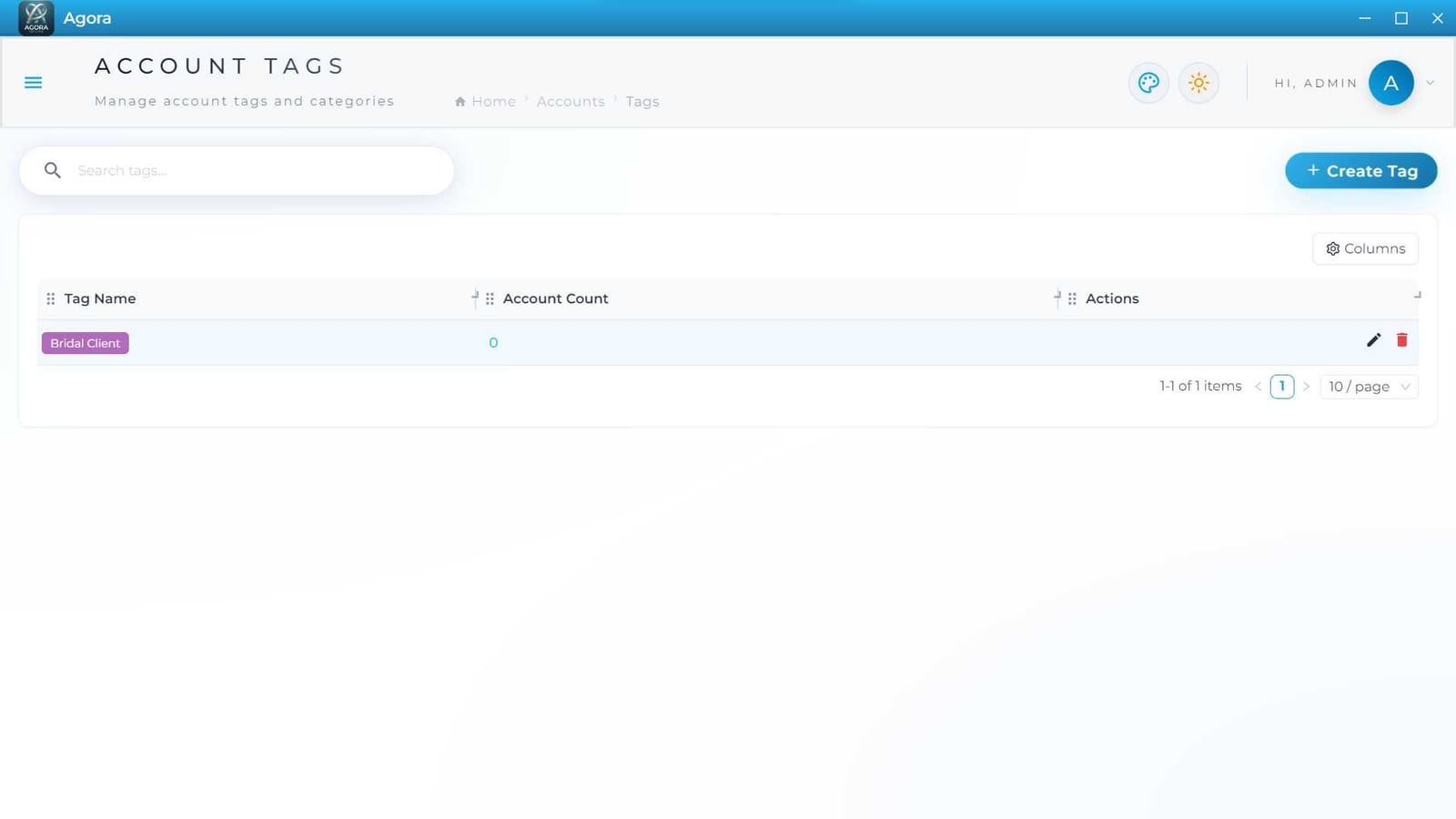
The Account Tags dashboard serves as the central control panel for defining the custom labels applied to Customers, Vendors, and other accounts.
Key Features
- Main Table: Displays each custom "Tag Name" alongside its current "Account Count" (the number of times it has been applied across the system).
- Visual Representation: Tags are rendered in the table exactly as they will appear throughout the application (e.g., as colored chips like "Bridal Client").
- Column Customization: Use the "Columns" dropdown to view the internal "# (Serial Number)" or the tag's "Description".
02 Creating a Tag
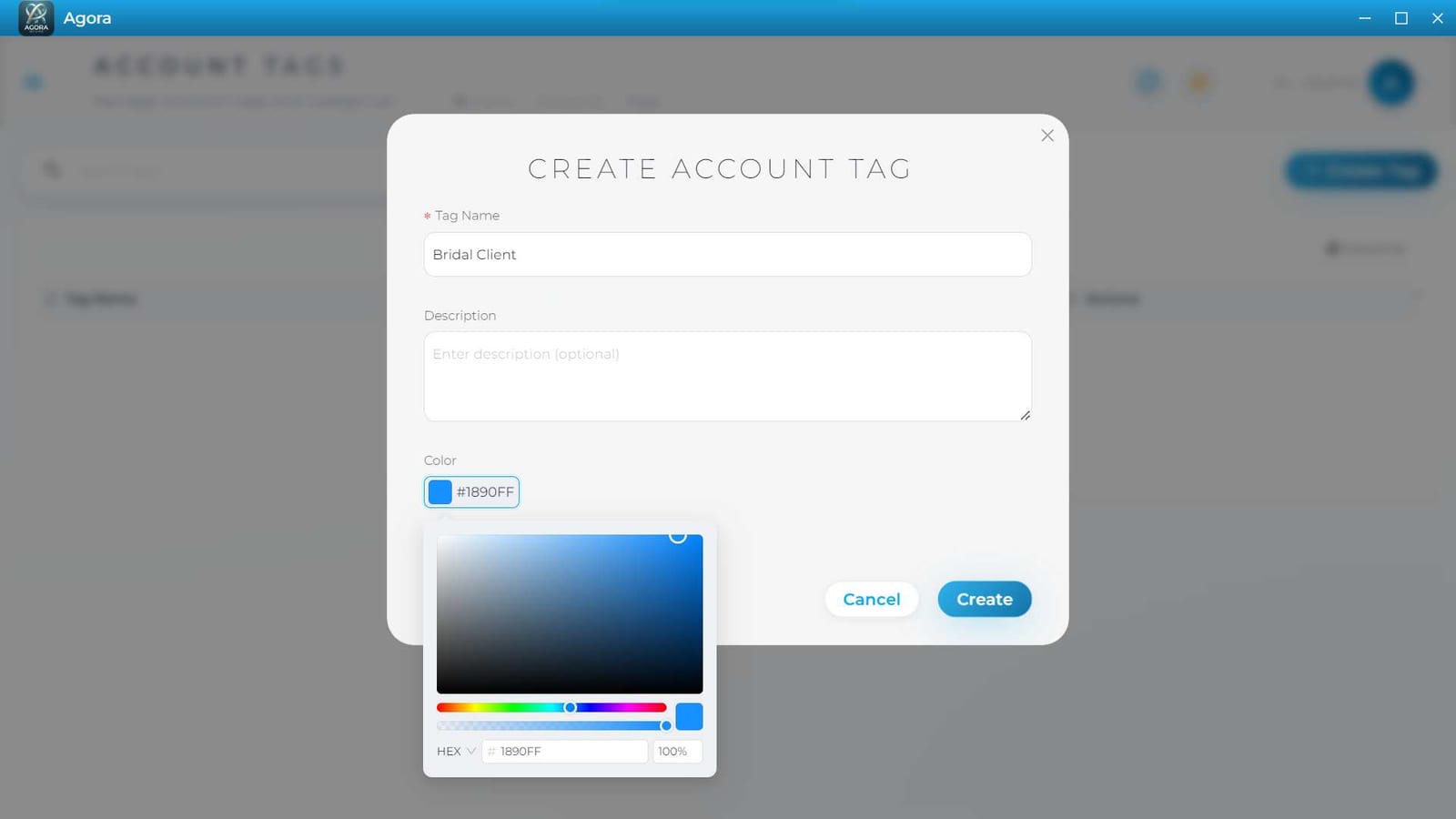
Click the + Create Tag button to generate a new segmentation label.
Configuration Fields
- Basic Info: Enter a concise, mandatory "Tag Name" (e.g., "VIP", "Bridal Client", "Raw Materials").
- Description: Optionally add a "Description" to explain internally when and how this tag should be used by staff.
- Color Coding: Use the integrated color picker to assign a specific HEX color (e.g.,
#1890FF) to the tag. This ensures visual distinctness when viewing dense lists on the Customer or Vendor dashboards.
Click Create to make the tag available system-wide.
03 Editing Tags
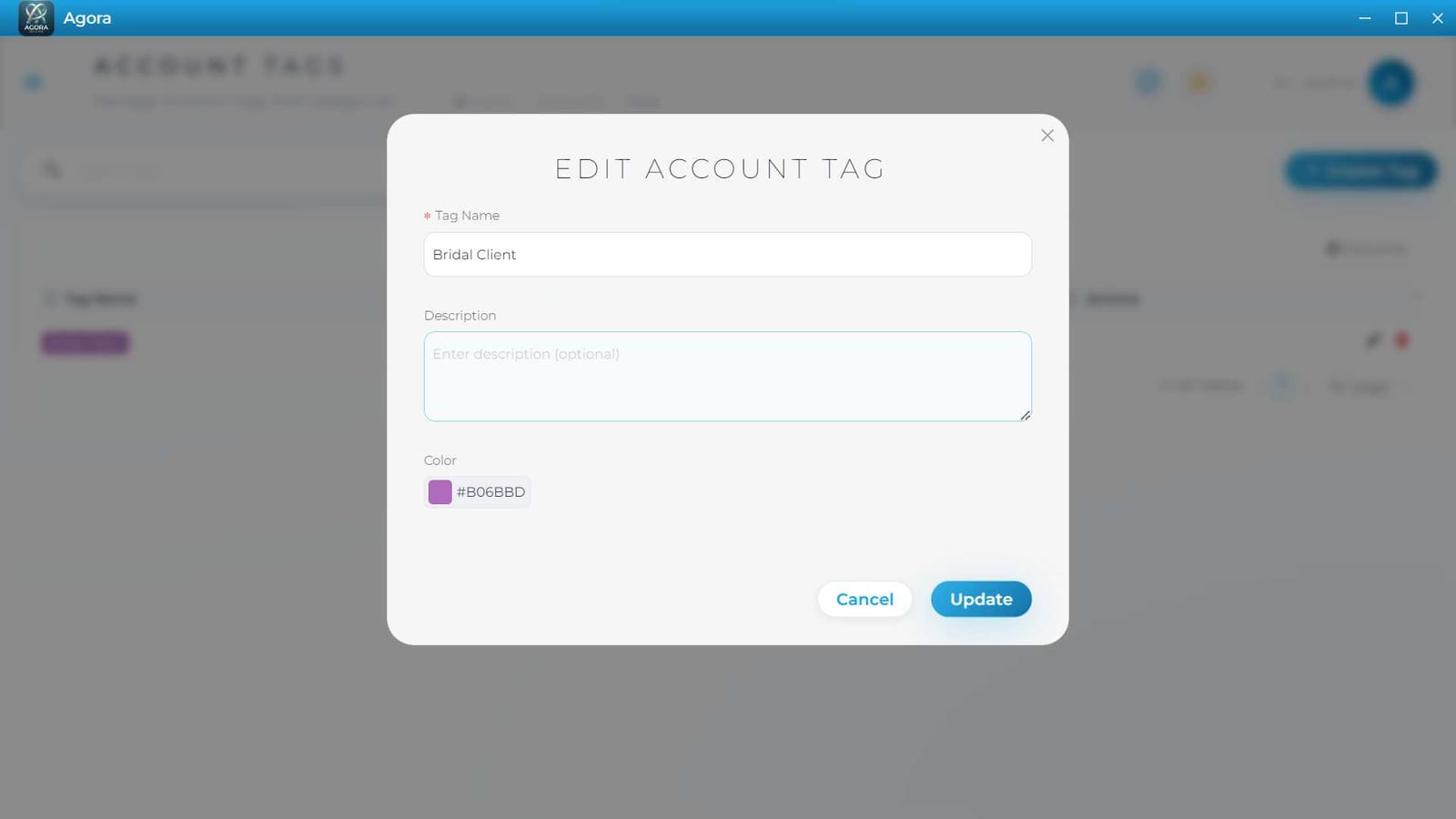
Click the pencil icon in the Actions column to update an existing tag.
Modifying Records
- The "EDIT ACCOUNT TAG" modal allows you to rename the tag, update its description, or change its assigned color.
- Any visual changes made here will automatically propagate to all accounts currently using the tag.
Real-World Use Cases
- Automated VIP Discounts: Tagging specific customers as "VIP" so the POS automatically applies a 10% discount whenever their account is selected.
- Tax Exemptions: Tagging certain non-profit organizations or government clients as "Tax Exempt" to automatically waive sales tax on their invoices.
Use Cases & Scenarios
- Customer Segmentation: Create tags like "Wholesale" and "Retail" to quickly filter your customer database and generate segment-specific sales reports.
- Supplier Routing: Tag vendors as "Packaging", "Electronics", or "Logistics" to help procurement teams locate the correct supplier faster.
- Visual Priority: Assign bright, attention-grabbing colors to tags like "High Priority" or "Delinquent" so they immediately stand out in the main data tables.